
This question came up today, and of course I’ve answered it dozens of times already. But I realized I never really wrote it down formally. Let’s fix that.

“How would you model filtering? As in, you have a table of data of books and you want to filter it by genre. From a technical point of view, this could be just on the client side, but it could also be an API call to refetch the data.”
That’s the question. And it’s a good one, because the honest answer is: it depends - and most of the time, filtering doesn’t need a Command or an Event at all.
Start With a Chapter
You find all my articles and videos on eventmodelers.ai. If you want to follow along, go to app.eventmodelers.ai - that’s the easiest way to start modeling.
You can also do this all using AI by connecting your agent with the new CLI to the platform. It takes only 15 seconds:
npx @eventmodelers/cli init-modeling
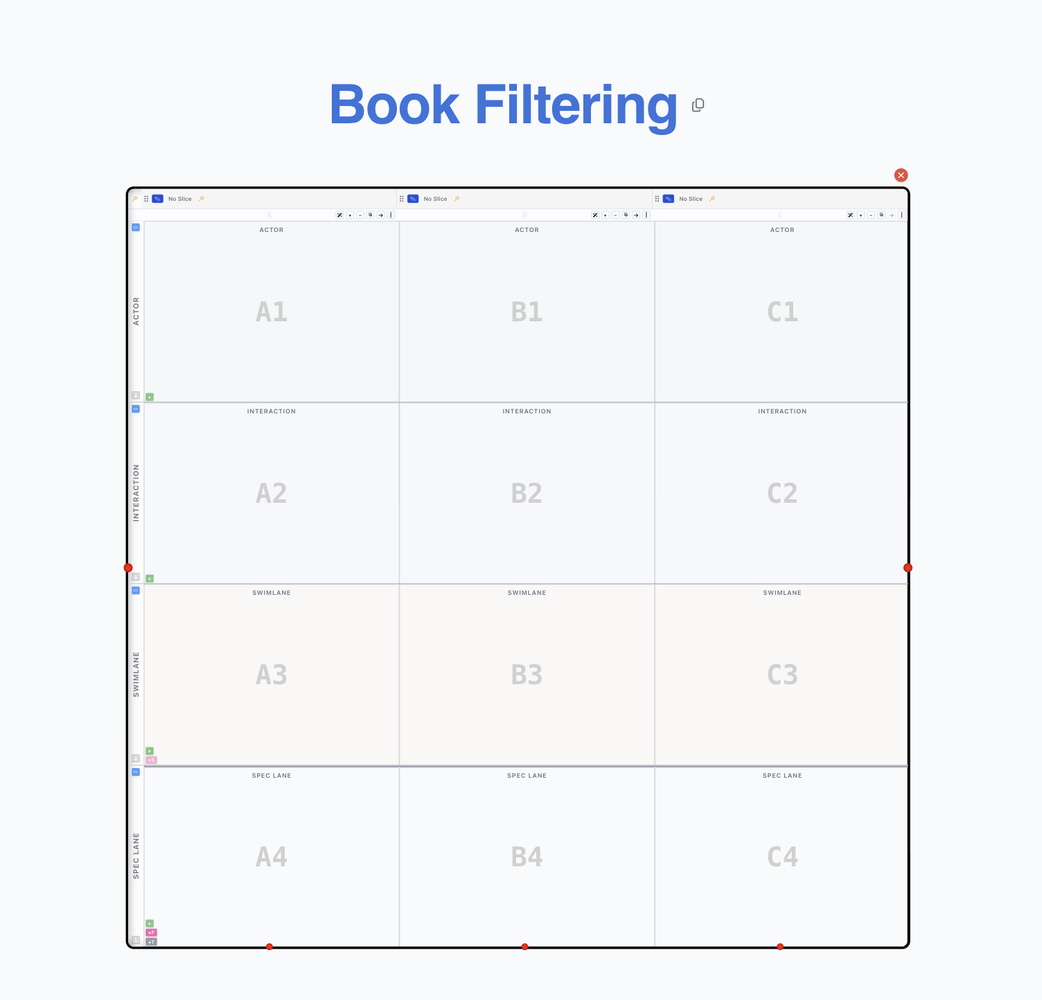
Everything starts with a Chapter. Think of a Chapter as a timeline of things that happen - a small, self-contained slice of the world you’re modeling.
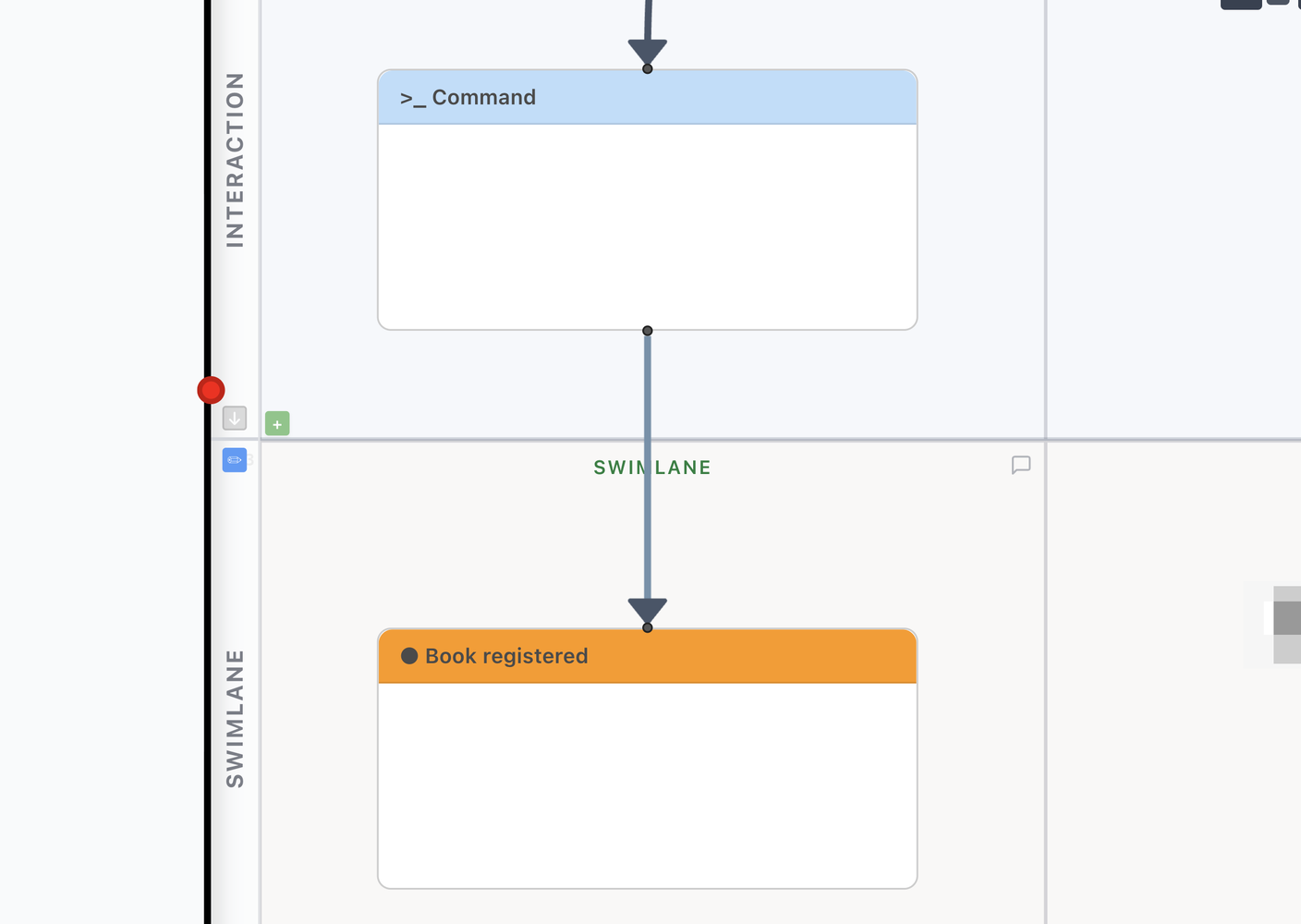
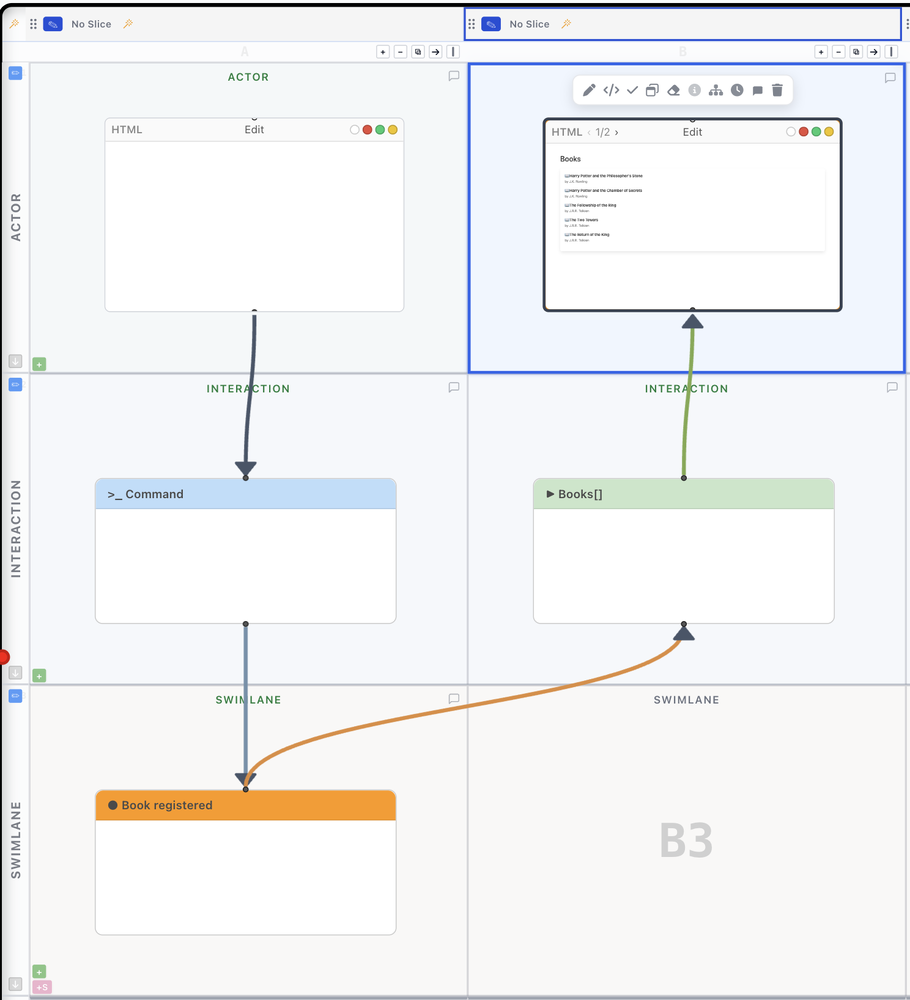
The next thing you’d typically want to do is create the relevant Event(s), Command(s), and Read Model(s). For our books example, that’s exactly what happens on the left: a user submits a Command, and a Book registered Event lands on the swimlane.
Now Define the View for Filtering
Now define the View for filtering. Give the new HTML View a try - you can write your Views with plain HTML, or even better, just generate them very cheaply with your connected agent.
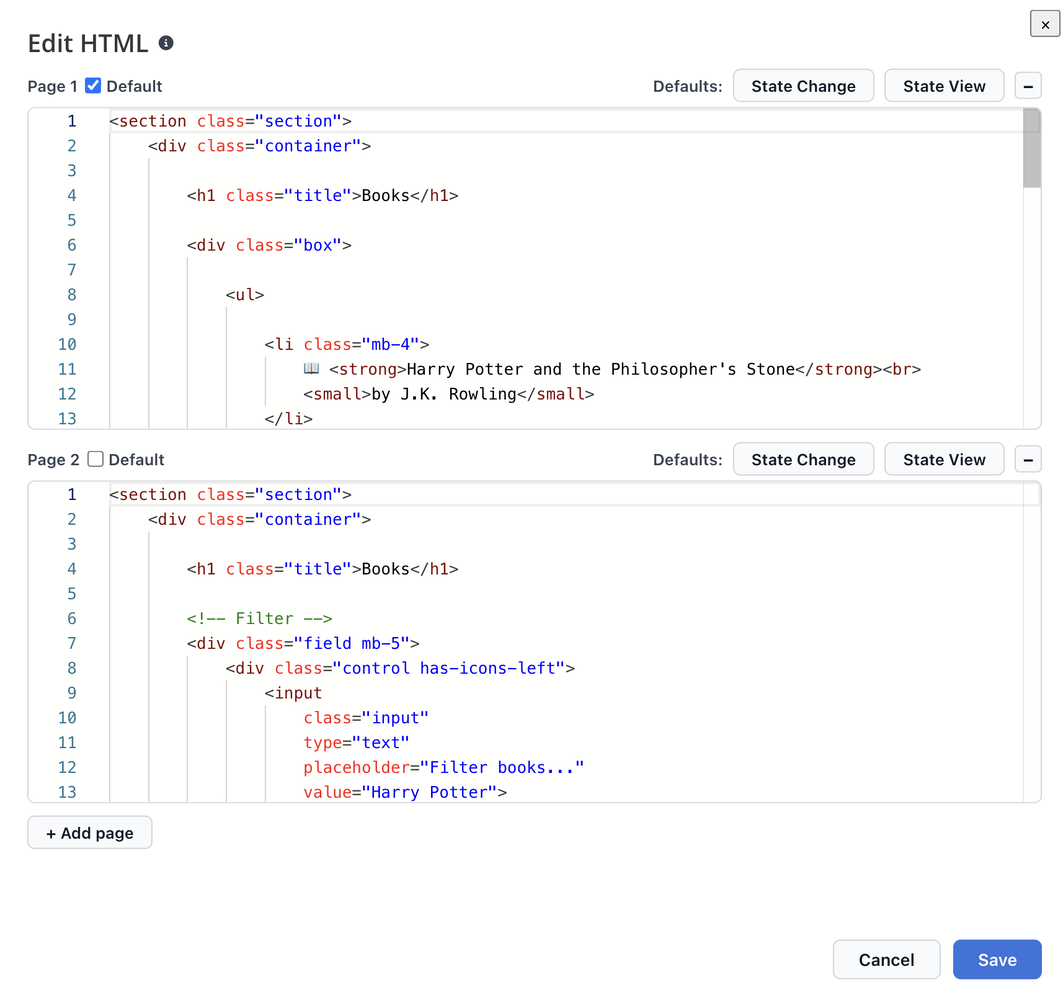
This is where the actual answer to “how do you model filtering” lives. Page 1 shows the unfiltered list of books. Page 2 shows the same Read Model, but with a filter field on top of it - typed in, applied, done. No round trip to a Command, no new Event.
The Multi-Screen support is what makes this possible: it lets you easily navigate between the unfiltered- and the filtered View, both backed by the exact same Books[] Read Model.
Now we already know how it should look. But we still want to describe how it behaves, using Scenarios and Given/When/Then syntax. Here the built-in Query-Support comes in very handy.
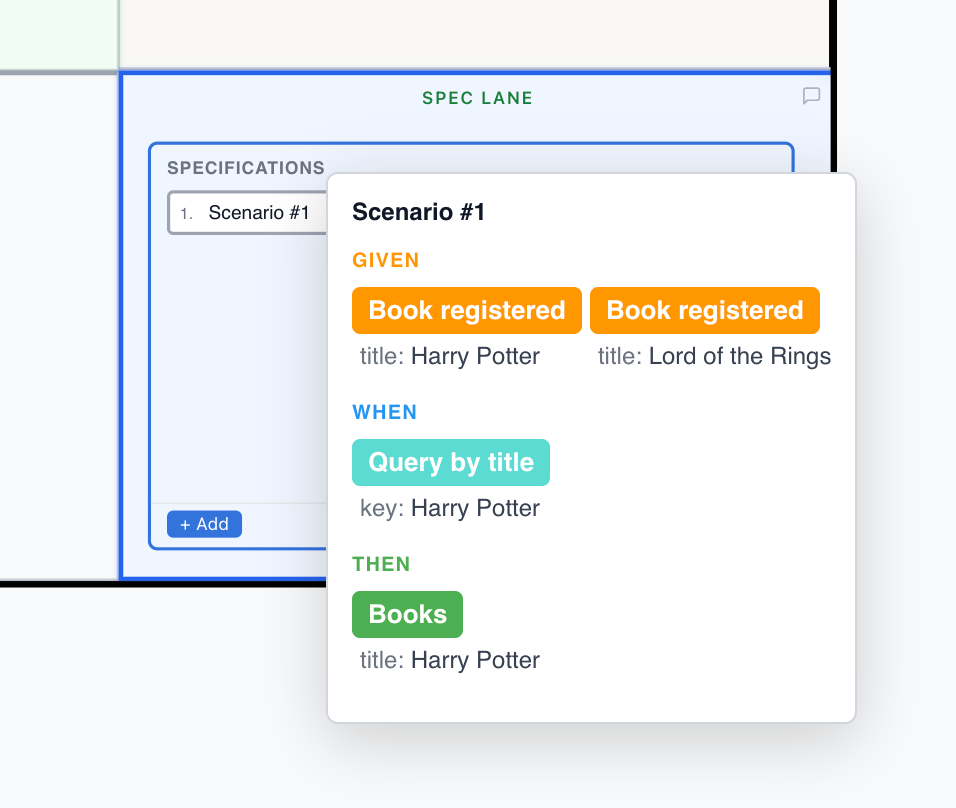
Given two Book registered events - one for Harry Potter, one for Lord of the Rings - When you query by title with the key “Harry Potter”, Then the Books Read Model returns just that one match. Nothing about this Scenario depends on the UI plumbing. It’s stated purely in terms of the data.
Enough to Implement It
This is enough to implement it. Using the UI mockup - which is also accessible for a connected agent building from the model - it’s quite clear what needs to be done.
Conclusion
What is important to understand: UI-only interaction typically does not involve Commands or Events. Using the Multi-View support, you can show in one slice how the system should behave without inventing state changes that don’t exist in the domain.
Filtering, sorting, expanding a row, switching a tab - these are all views on data you already have. Model them as Views, not as Commands looking for an Event to justify them.
My new program “Agentic Engineer” starts on Sep. 7 - teaching you in 3 weeks how to become the Agentic Engineer, working with the Triplet Architecture of Event Modeling, Event Sourcing, and Vertical Slices. There are only 7 seats left.
Join the Agentic Engineer Program
Apply Spec-Driven Development Hands-On - Event Modeling, Event Sourcing, and AI Engineering with autonomous agents.
Book a Call Today
Want to talk through how Event Modeling could work for your team or project? Let’s have a quick, no-pressure conversation.